
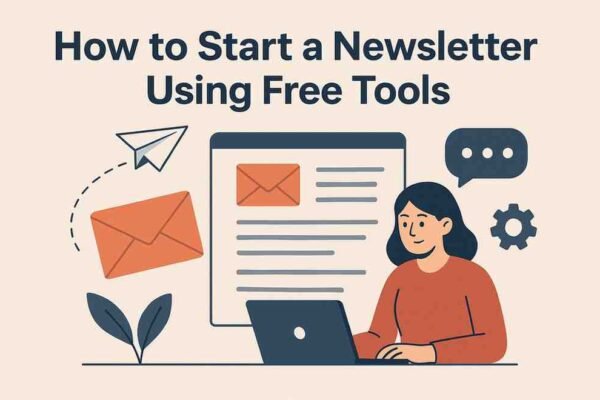
Starting a newsletter is one of the best ways to build an audience, promote your brand, and create a long-term relationship with your readers. The best part? You can create, design, send, and grow your newsletter 100% free using modern no-code tools.
This guide will walk you through everything step-by-step—even if you’ve never created a newsletter before.
Why Start a Newsletter?
Newsletters are powerful because:
-
You own your audience unlike social media followers
-
Zero cost to start with multiple free platforms
-
Great for lead generation and building trust
-
Perfect for bloggers, creators, marketers, and businesses
-
Boosts traffic, engagement, and conversions
If you want consistent, predictable growth, a newsletter is the most reliable digital asset you can build.
Step-by-Step Guide to Start a Newsletter Using Completely Free Tools
Step 1: Define Your Newsletter Purpose
Before choosing a tool or writing content, decide:
-
What will the newsletter be about?
-
Who is your target audience?
-
What problem will you solve?
-
How frequently will you send issues? (daily, weekly, monthly)
Examples of newsletter niches:
-
AI and Tech Updates
-
Personal Finance Tips
-
Marketing & Business Growth
-
Fitness & Wellness
-
Productivity & Habits
-
Startup Insights
-
News & Trending Topics
Having a clear direction helps you write consistently.
Step 2: Choose a Free Newsletter Platform
There are multiple free tools that let you launch a professional newsletter without paying anything.
1. Substack (Best for Beginners & Writers)
-
Completely free to start
-
Clean UI & blog + newsletter combo
-
Free hosting
-
No limits on subscribers
-
Built-in discovery for more readers
2. Mailchimp Free Plan (Best for Businesses)
-
Drag-and-drop email builder
-
Forms, automation, simple CRM
-
Good for small businesses and eCommerce
-
Free for up to 500 contacts
3. MailerLite Free Plan (Simple & Modern)
-
Beautiful templates
-
Landing pages
-
Segmentation & automation
-
Free for 1,000 subscribers
4. Beehiiv Free Plan (Best for Growth & Referrals)
-
Strong analytics
-
Magic link subscriptions
-
Referral program
-
Blog + newsletter builder
5. ConvertKit Free Plan (Creator-friendly)
-
Ideal for creators, coaches, and educators
-
Beautiful email designs
-
Free for 1,000 subscribers
All platforms require no coding, and you can create your newsletter in minutes.
Step 3: Create Your Newsletter Sign-Up Form
A sign-up or subscription form is essential because that’s how people join your email list.
You can embed forms using:
-
Substack’s subscribe box
-
Mailchimp signup forms
-
MailerLite popups
-
ConvertKit landing pages
Make sure your form clearly explains:
✔ What subscribers will receive
✔ How frequently you’ll email them
✔ Why they should join
Example:
“Join 3,000+ readers who get weekly AI tools, tips, and automation hacks.”
Step 4: Set Up a Free Landing Page
Most newsletter platforms allow you to create a landing page for free.
Use it to highlight:
-
Newsletter benefits
-
What makes you unique
-
Sample newsletter topics
-
Signup form
Tools that offer free landing pages:
-
Substack
-
Beehiiv
-
ConvertKit
-
MailerLite
-
Notion + Potion (simple free workaround)
A good landing page increases subscribers quickly.
Step 5: Design Your Newsletter (No Design Skills Required)
Use drag-and-drop email builders provided in free plans.
Design tips:
-
Use simple clean layouts
-
Add a header and logo
-
Use readable fonts
-
Add visuals or icons if needed
-
Keep mobile-first design in mind
You can also create custom graphics for free using Canva or Adobe Express.
Step 6: Write Your First Newsletter Issue
Your first issue should be simple and welcoming.
Include:
1. A short introduction
Explain who you are and why the subscriber will benefit.
2. Valuable content
Share tips, updates, resources, insights, or curated links.
3. Clear call-to-action
Ask readers to:
-
Reply
-
Share your newsletter
-
Follow on social media
-
Visit your website
4. Clean closing
Sign off with your name and optional signature section.
Step 7: Create a Consistent Publishing Schedule
Consistency matters more than frequency.
Choose a schedule you can maintain:
-
Weekly
-
Bi-weekly
-
Monthly
Use tools like:
-
Google Calendar
-
Notion
-
Trello
-
ClickUp
to plan your content.
Step 8: Grow Your Newsletter Audience for Free
Here are the best free growth strategies:
1. Share on Social Media
LinkedIn, Instagram, Twitter/X, Facebook, Pinterest.
2. Add Signup Form on Your Website or Blog
Use a popup or sidebar box.
3. Offer a Freebie (Optional but Powerful)
Examples:
-
eBook
-
Checklist
-
PDF guide
-
Templates
4. Collaborate with Other Creators
Newsletter swaps or guest posts.
5. Use AI Tools
Create shareable content quickly using ChatGPT.
6. Add ‘Magic Link’ (Beehiiv, Substack)
A single click auto-subscribes users.
Step 9: Analyze Your Results
All free tools provide analytics like:
-
Open rate
-
Click-through rate
-
Subscriber growth
-
Top performing posts
Use this data to improve your next issues.
Conclusion
Starting a newsletter has never been easier—thanks to modern free tools that let you design, send, and grow your audience without spending money.
With platforms like Substack, Beehiiv, Mailchimp, and ConvertKit, you can launch a fully functional newsletter in under an hour—no coding, no design skills, and no budget required.
Focus on providing value, staying consistent, and promoting your newsletter regularly. If you do that, you’ll build a strong, loyal audience over time.







Leave a Reply